Open the Google Group
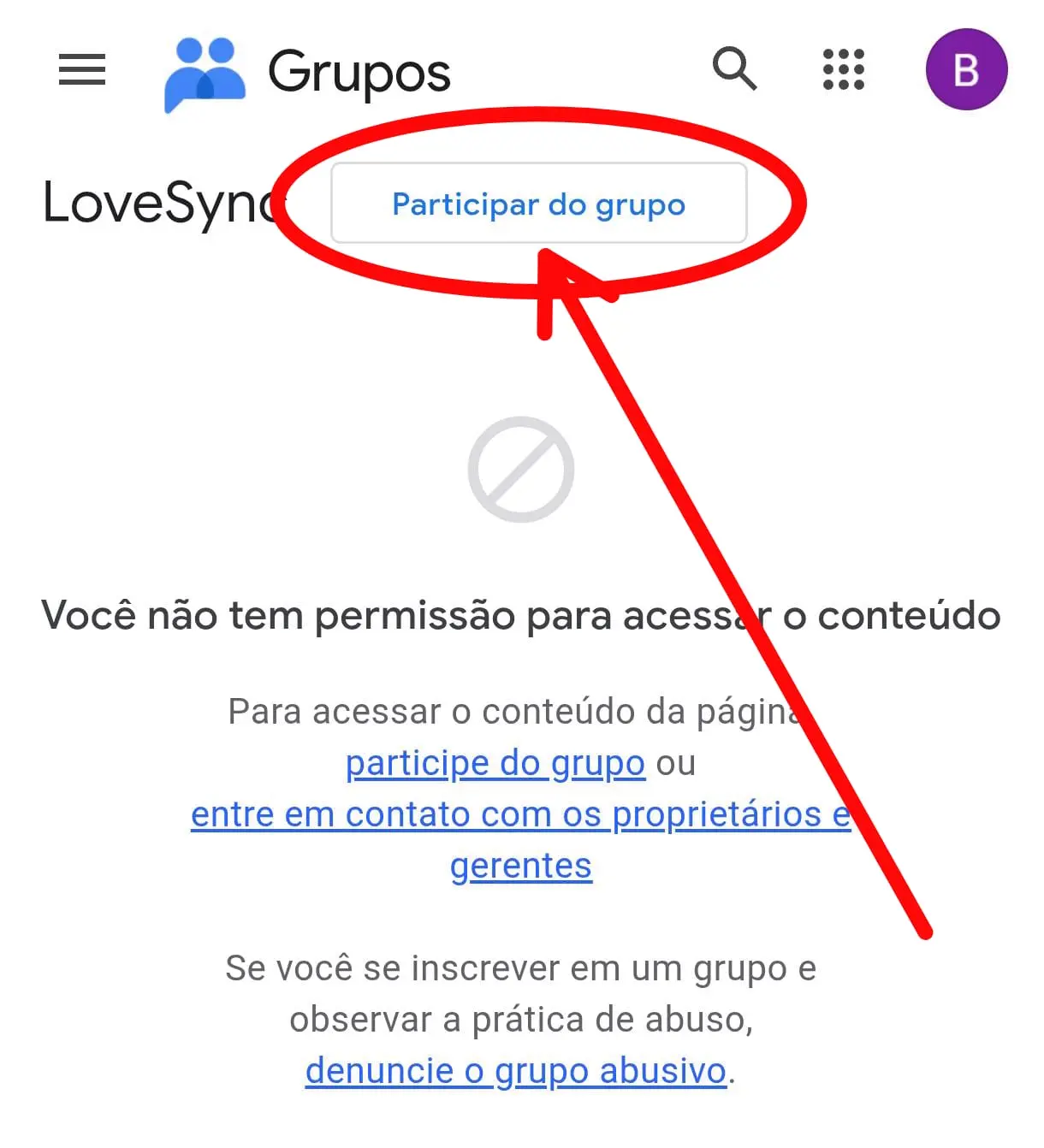
Start here. This is the first gate of the closed test. Without this, nothing else moves.
If you see the message saying you do not have permission, this is exactly the right screen. The button at the top unlocks entry.
LoveSync brings together memories, dates, reminders, and chat with challenges, games to spice up the relationship, and a Kamasutra with 500+ positions. If you like the idea of an app that can feel sweet one moment and provocative the next, the Android beta is already open.
Google Play adds a few extra steps, but I already laid out the right order so you do not get stuck halfway through.
Using different Google accounts for the Group, the beta page, and the Play Store. If the account changes halfway through, the beta may never unlock.
Because LoveSync is not just another cute couples app. It mixes connection, daily routines, flirting, and a hotter layer for couples who want more than the usual.
Follow the order exactly. If you skip a step, the beta may stay locked even when it looks like everything worked.
Start here. This is the first gate of the closed test. Without this, nothing else moves.
If you see the message saying you do not have permission, this is exactly the right screen. The button at the top unlocks entry.
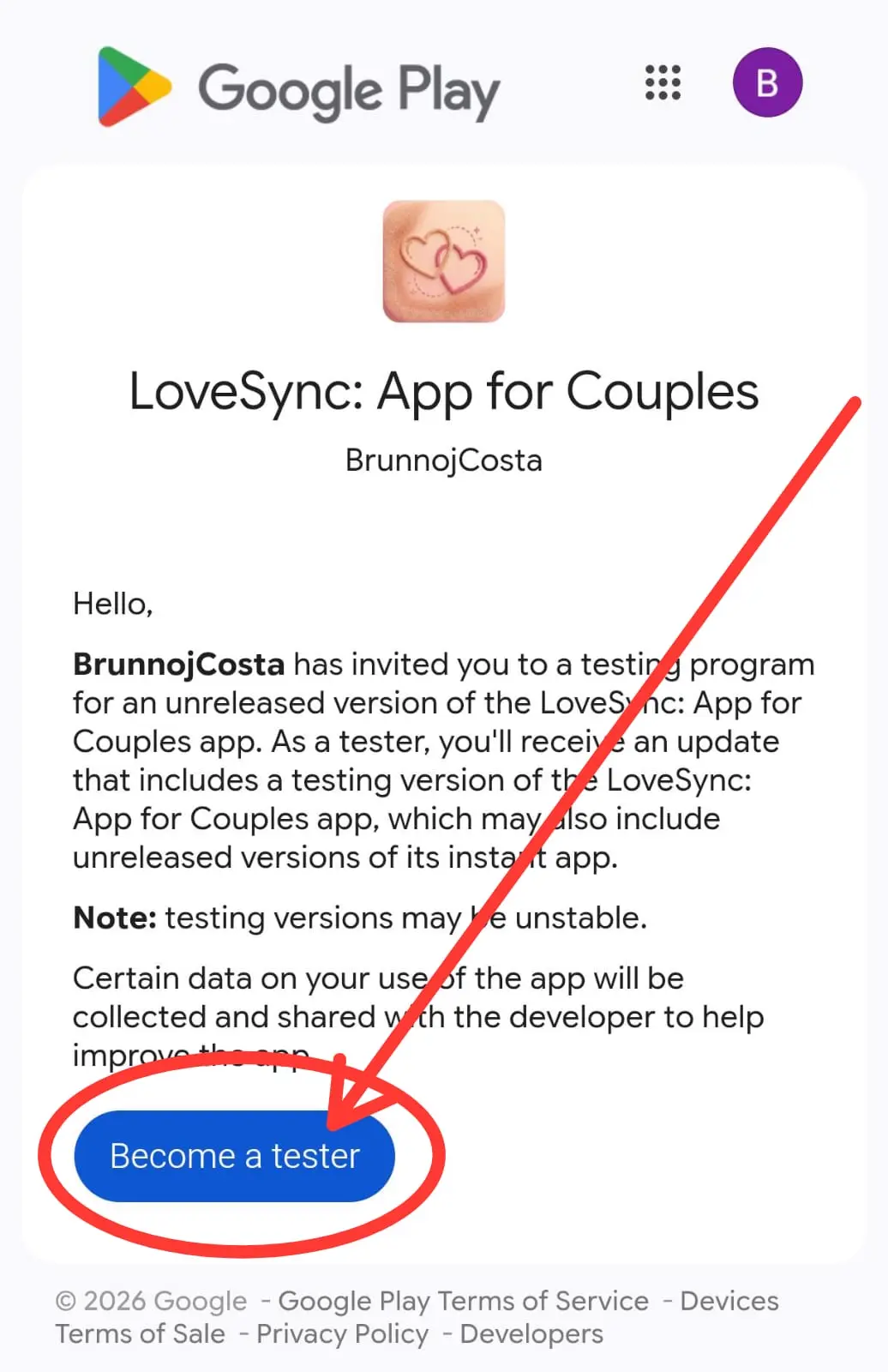
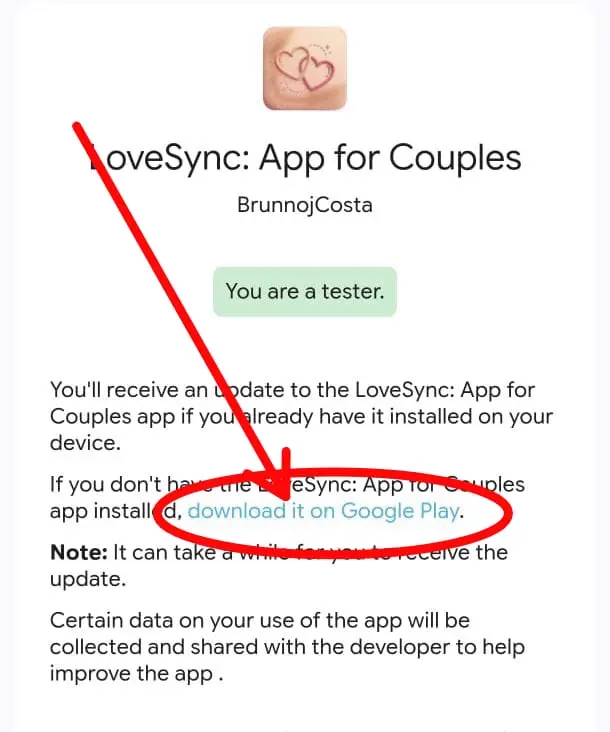
This is the part that confuses people the most. The link is easy to miss, so this screenshot matters more than any other in the tutorial.
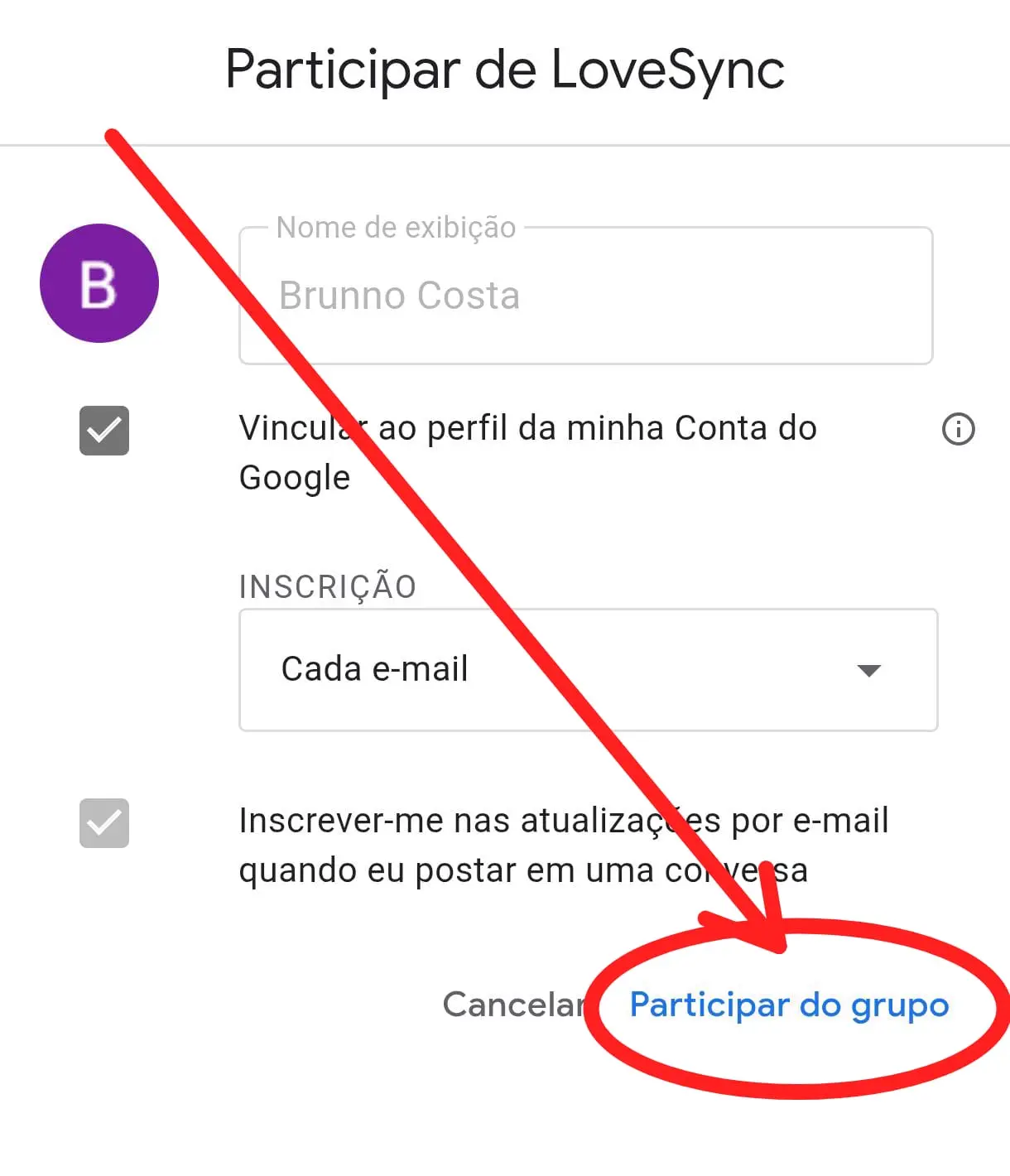
On this screen, finish by tapping "Join group" at the bottom.
Joining the group is not enough on its own. You still need to confirm participation when Google asks.
Once the group entry is complete, continue to the Android beta page.
After the confirmation, go to the Android beta link.
This is the step that actually places your account inside the beta.
On the beta page, accept participation. That is what unlocks install or update access.
Final step. Once it unlocks, install LoveSync and then open the feedback page to see what to test first.
When the page says you are already a tester, tap the highlighted link to download the app.
If you already understood the logic, you can use the links below without going all the way back up the page.